case study

Funeral Memories

A shared memory wall where family and friends add photos and stories to honor a loved one. I designed every screen in Figma and built the front end in TypeScript, CSS, and React. It’s live now.
  • UI/UX
  • TypeScript & React
  • FamilySearch
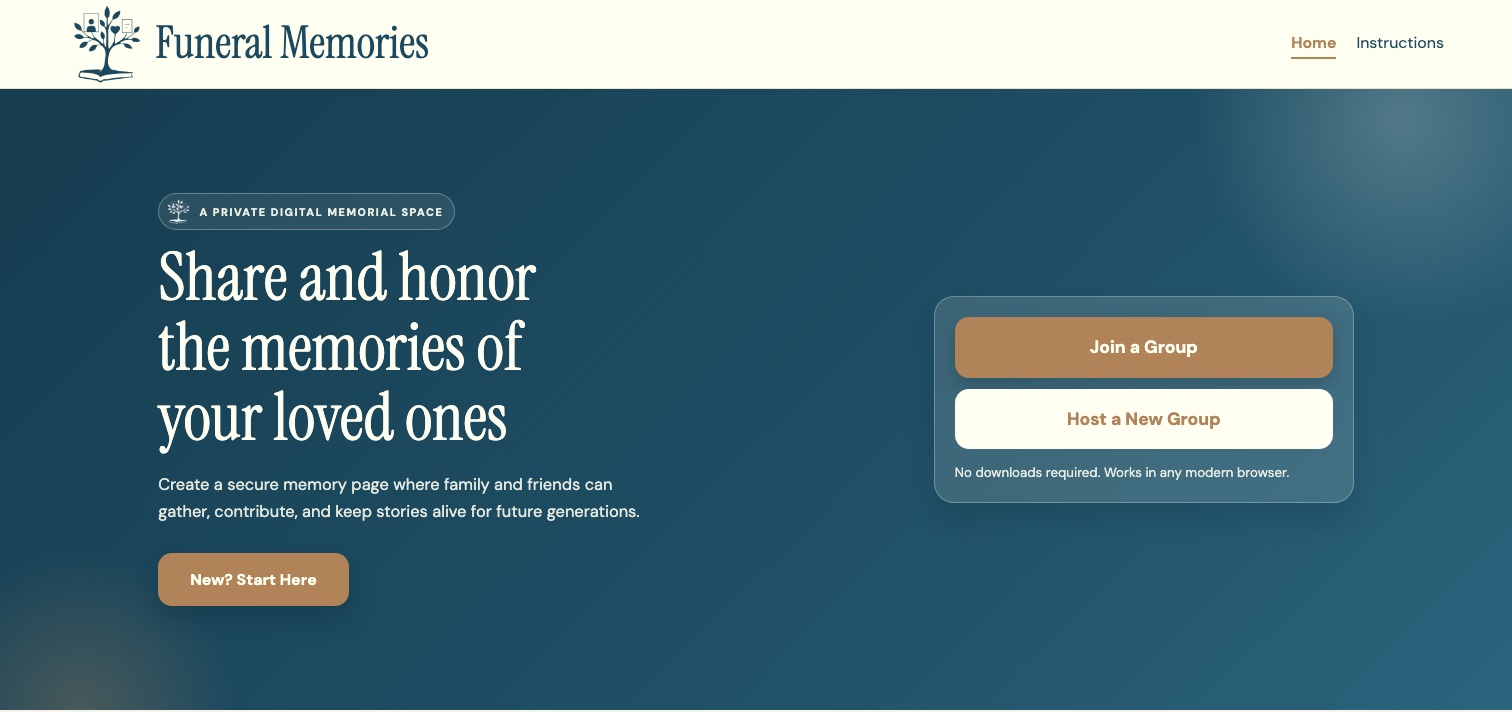
The live Funeral Memories home page: the headline “Share and honor the memories of your loved ones,” with Join a Group and Host a New Group buttons on a deep teal background
My role
Designed every Figma mockup and wrote the front end in TypeScript, CSS, and React
Team
Samuel Ampuero, Jocelyn Perucca, and me, at the BYU Family History Technology Lab
Presented at
RootsTech 2026 and the BYU Family History Workshop 2026
Status
Live at funeral-memories.fhtl.org
the idea

A place to remember together

Funeral Memories is a shared space for preserving and celebrating the life of a loved one. A host creates a memory wall for the person being honored, and family and friends add photos and stories to it.

It connects to FamilySearch, so hosts can find the person there. Afterward the wall can be exported as a PDF or published to FamilySearch.

  1. 01

    Create a memory page

    Set up a dedicated page for your loved one with a title, details, and access settings.

  2. 02

    Share with friends

    Invite close family and friends so everyone can contribute meaningful stories together.

  3. 03

    Share photos & stories

    Collect cherished photos, memories, and messages in one place that can be revisited anytime.

  4. 04

    Publish to FamilySearch

    Publish the memories to FamilySearch so your family history can be preserved in one lasting place.

the challenge

Redoing the UI of a working app

The lab already had a working version. It did the job, but it lacked the warmth and professionalism the lab wanted for this industry, so they asked me to redo the UI.
Home

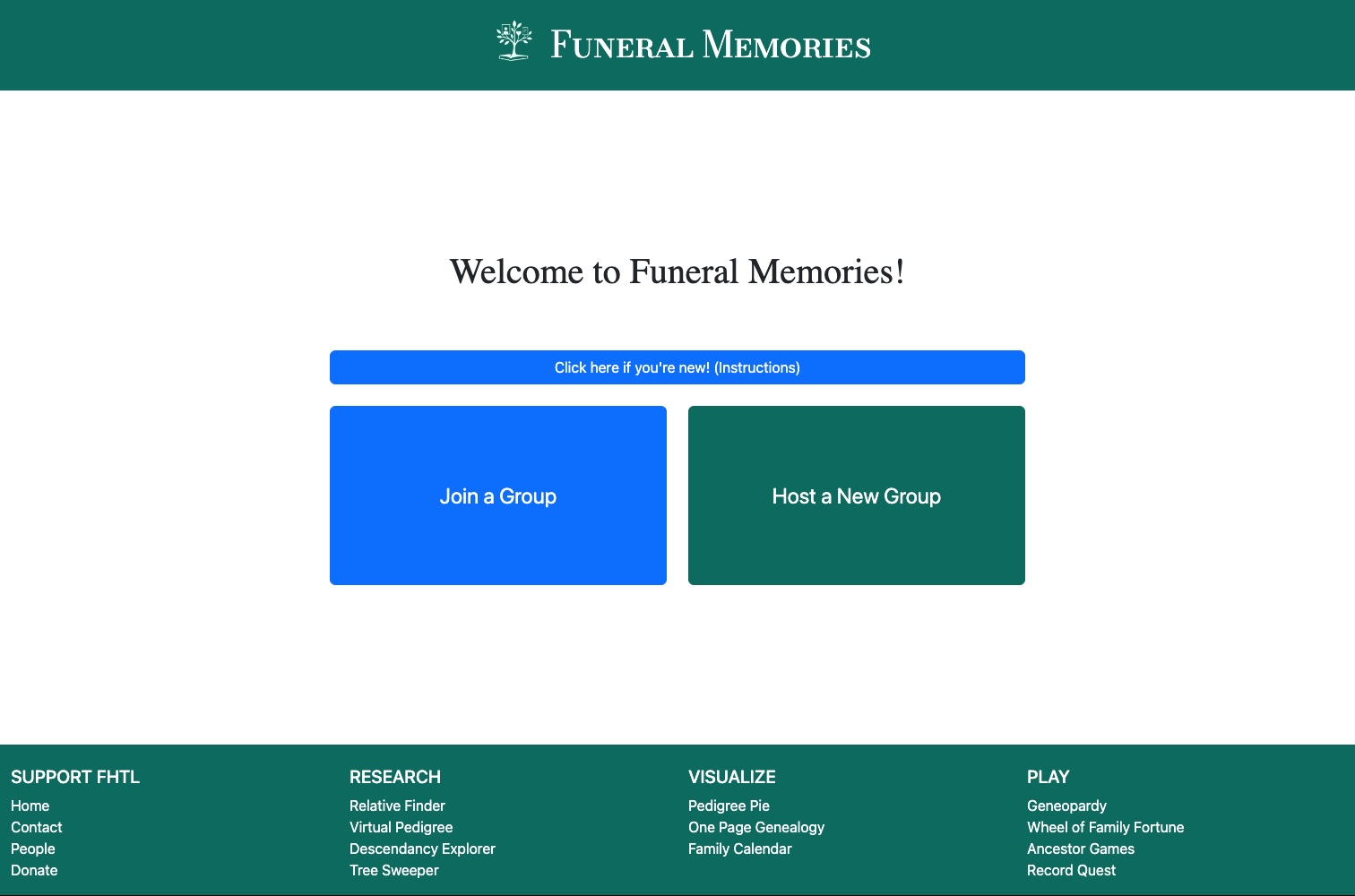
Before The original home page: a plain green header, a Welcome to Funeral Memories heading, and bright blue and green Bootstrap buttons
→
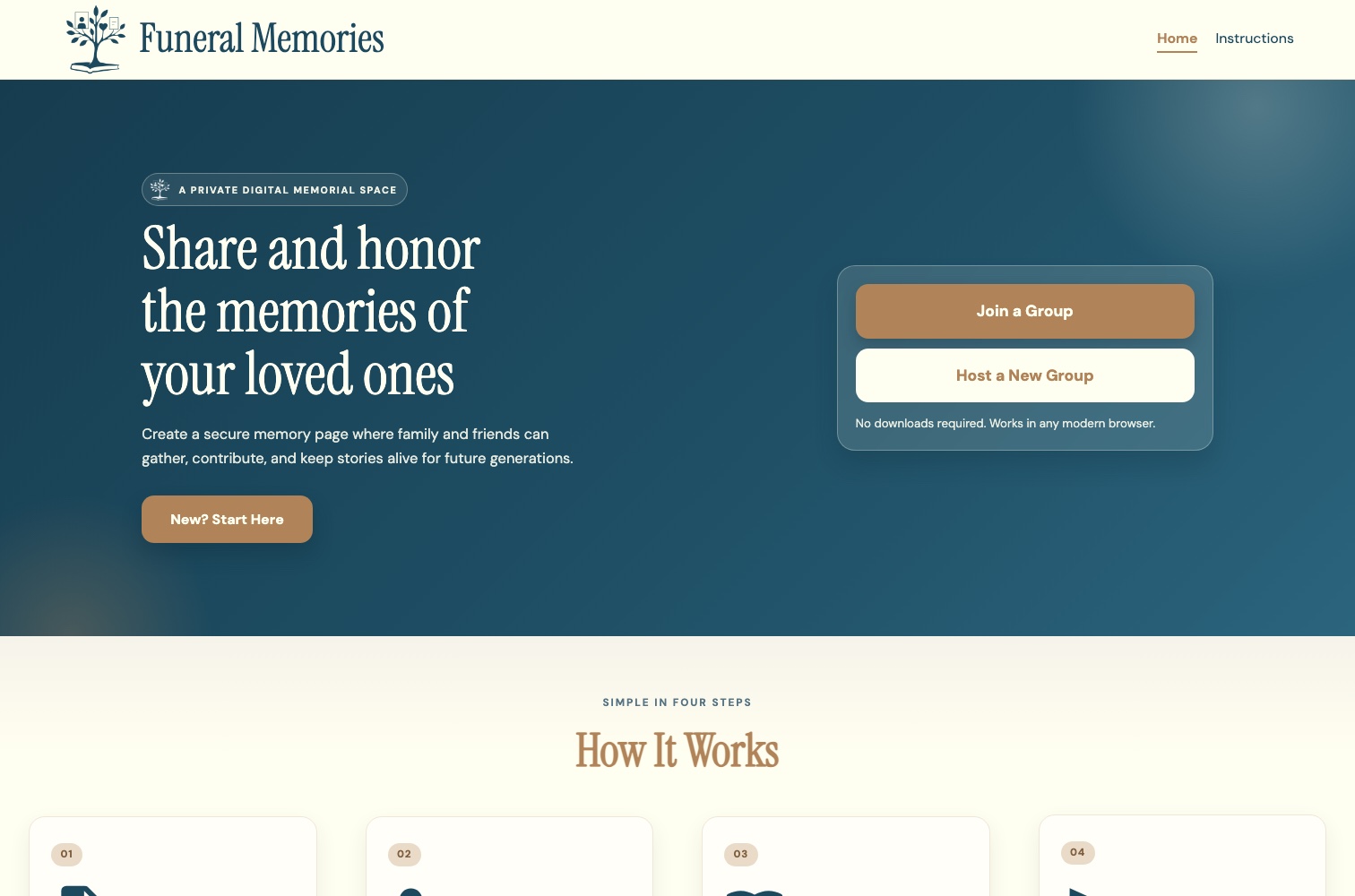
After · live site The redesigned home page: a cream header, a deep teal hero with a serif headline and tan buttons, and a four-step How It Works section

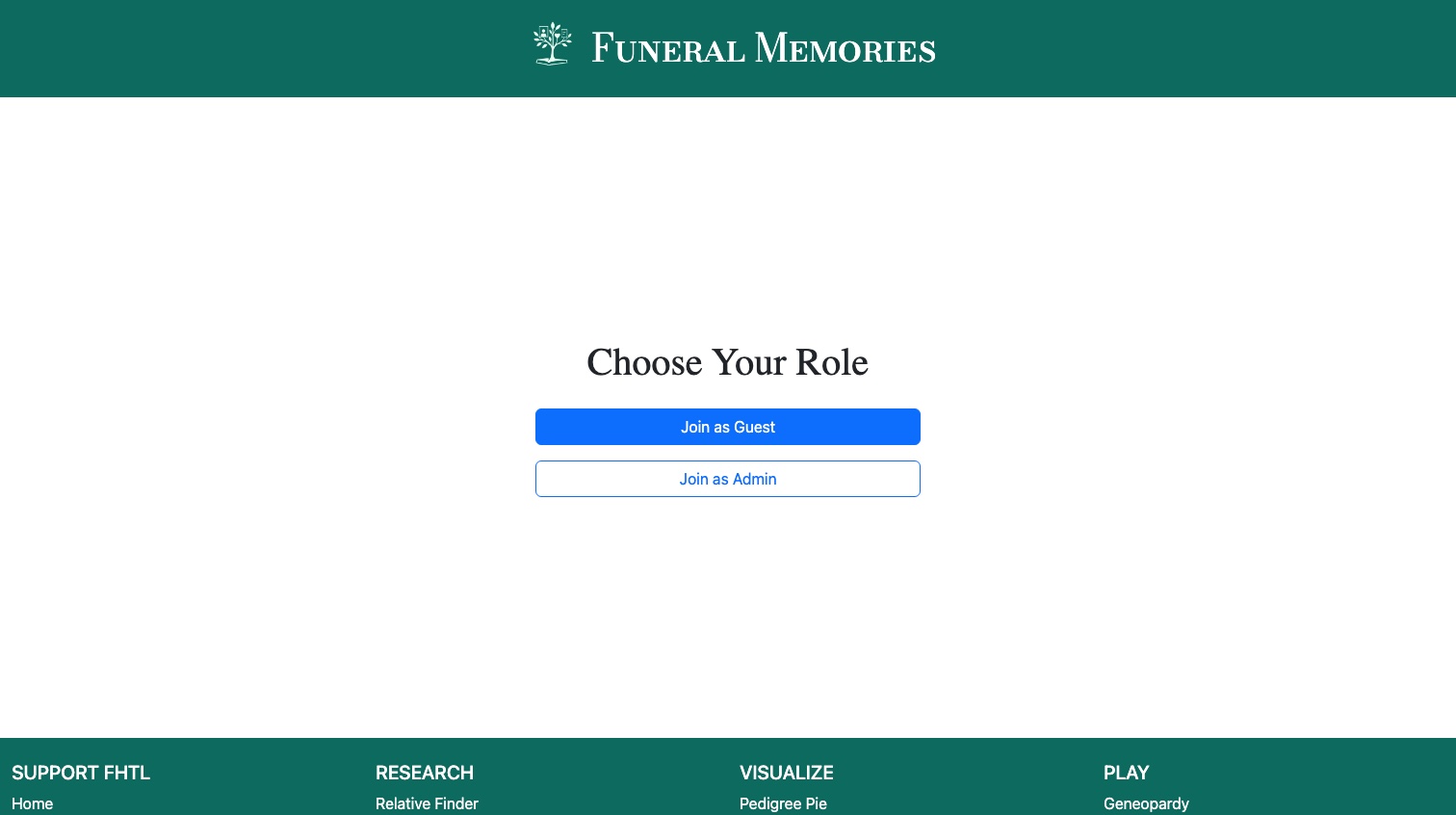
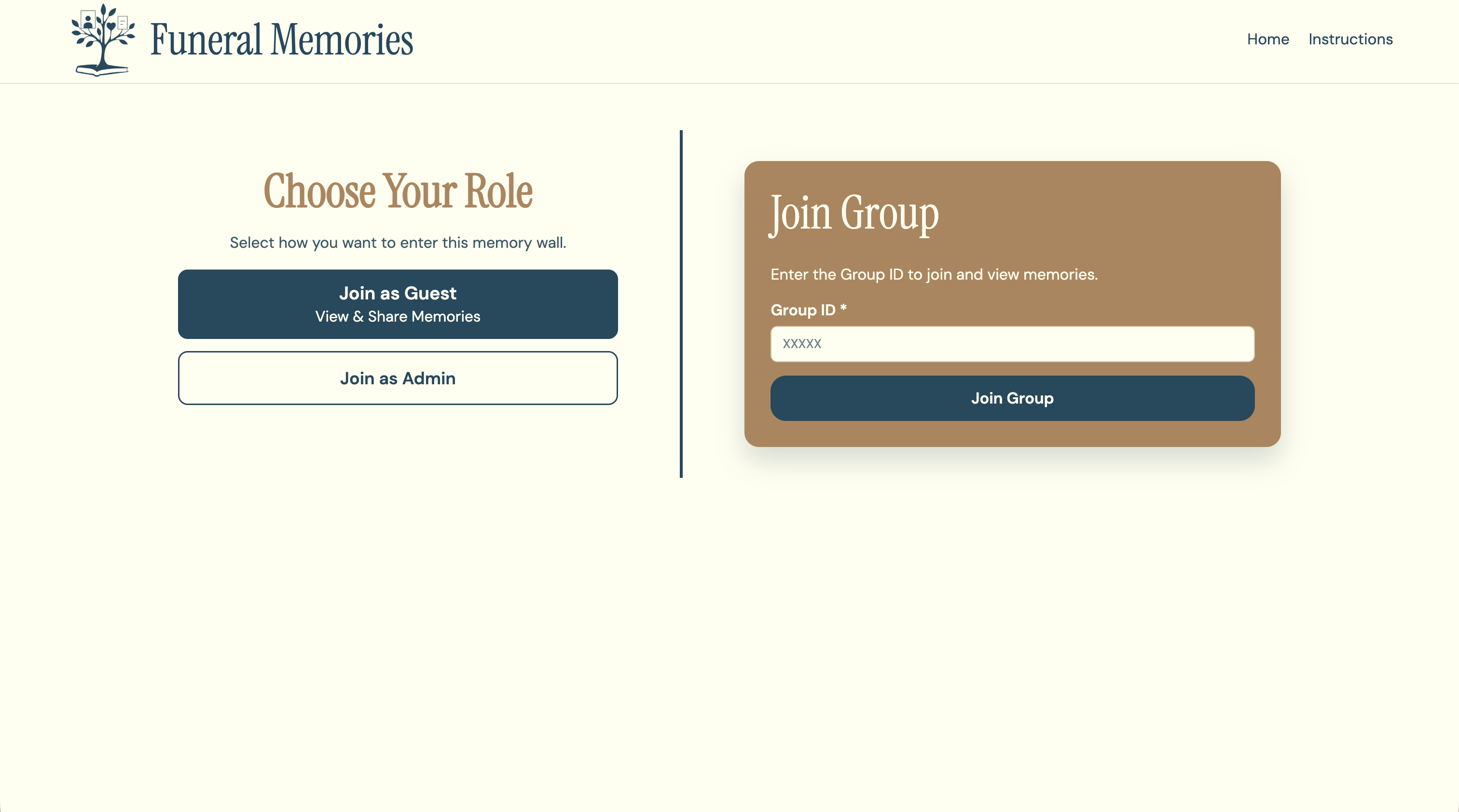
Choose your role

Before The original role screen: a plain heading and a bright blue Join as Guest button above an outlined Join as Admin button
→
After · live site The redesigned role screen: Choose Your Role with Join as Guest and Join as Admin options on the left, and a tan Join Group card with a Group ID field on the right

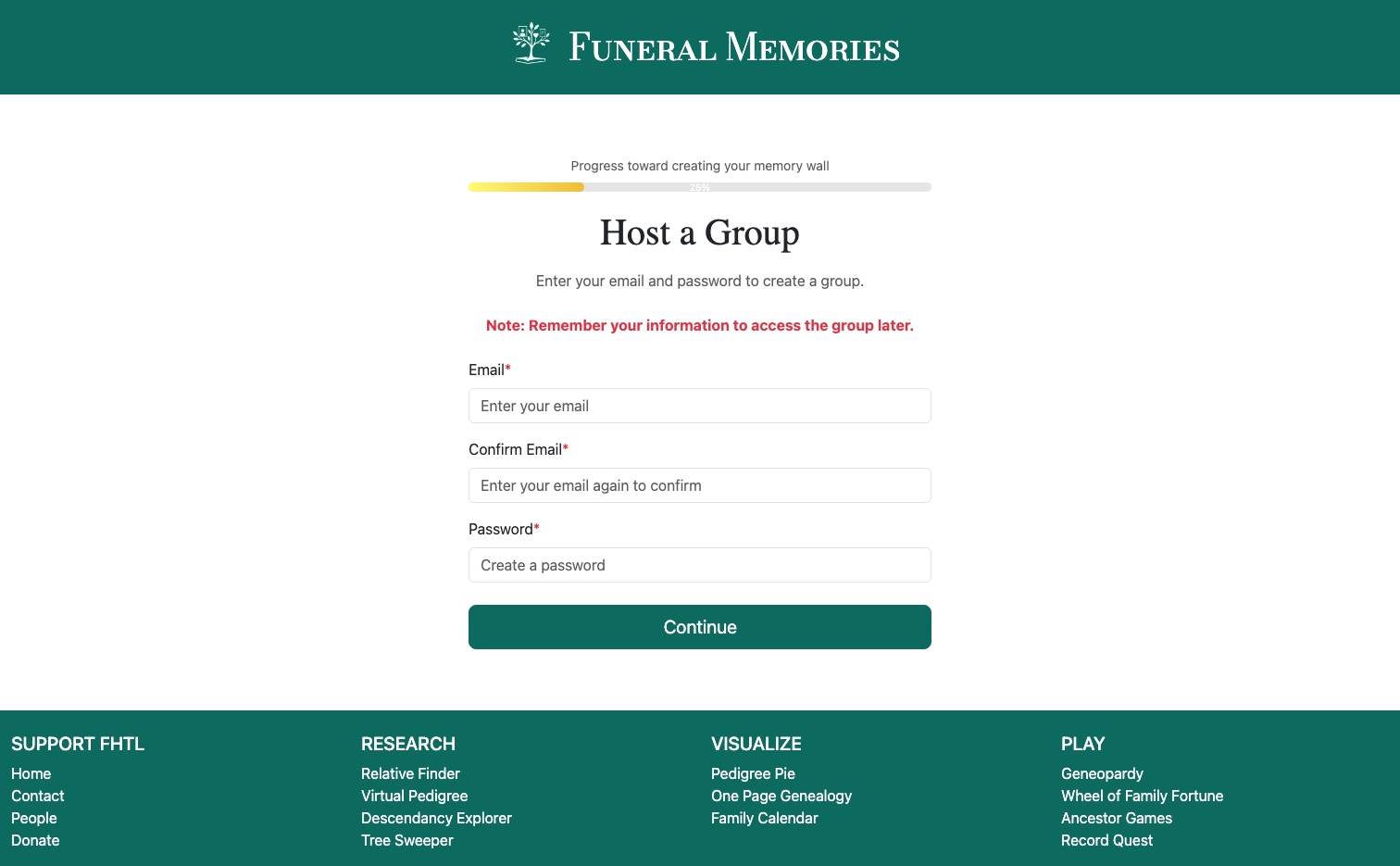
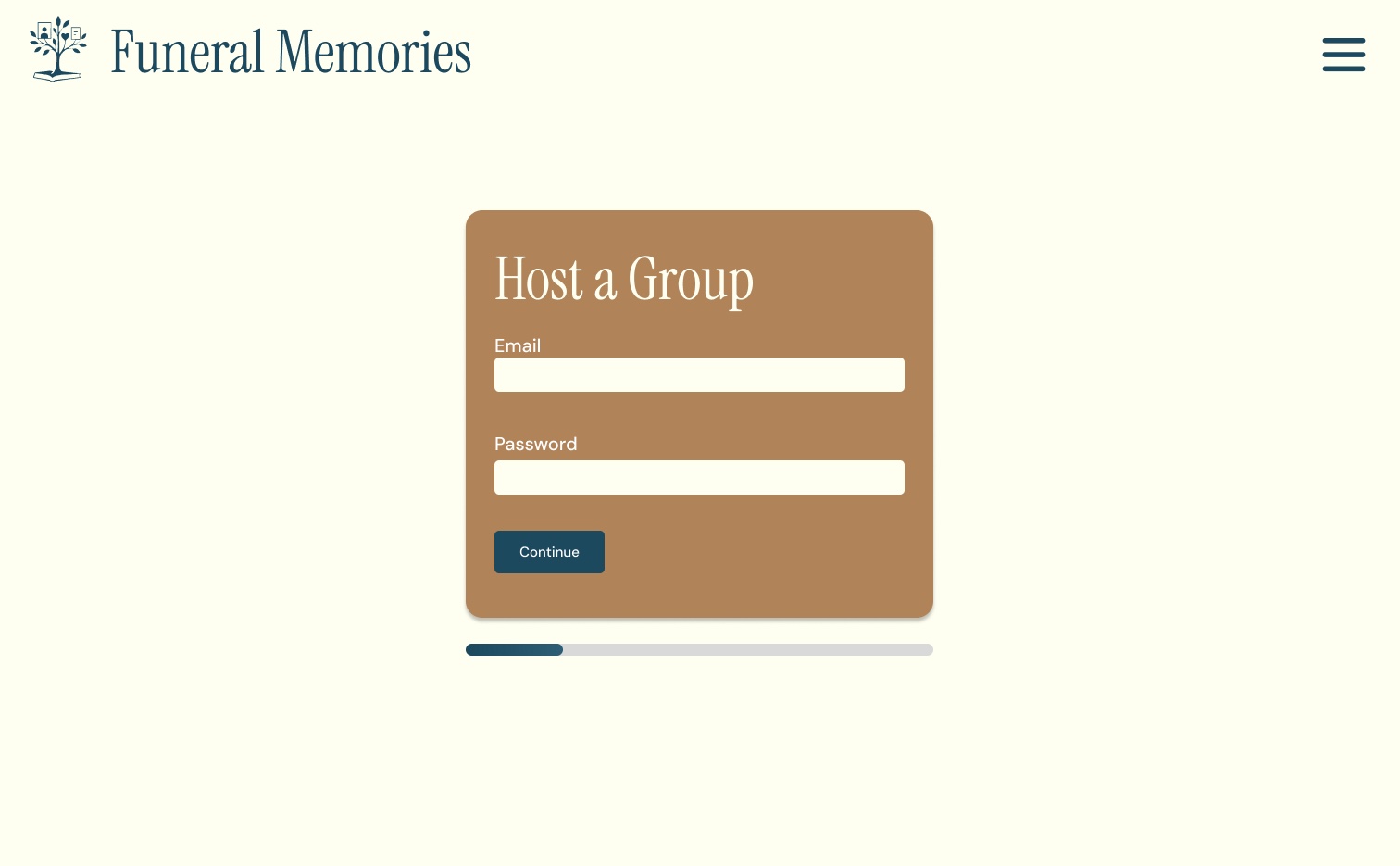
Host a group

Before The original host form: a thin progress bar above plain form fields and a green Continue button
→
After · Figma design The redesigned host card: a tan card with email and password fields, a teal Continue button, and a progress bar below

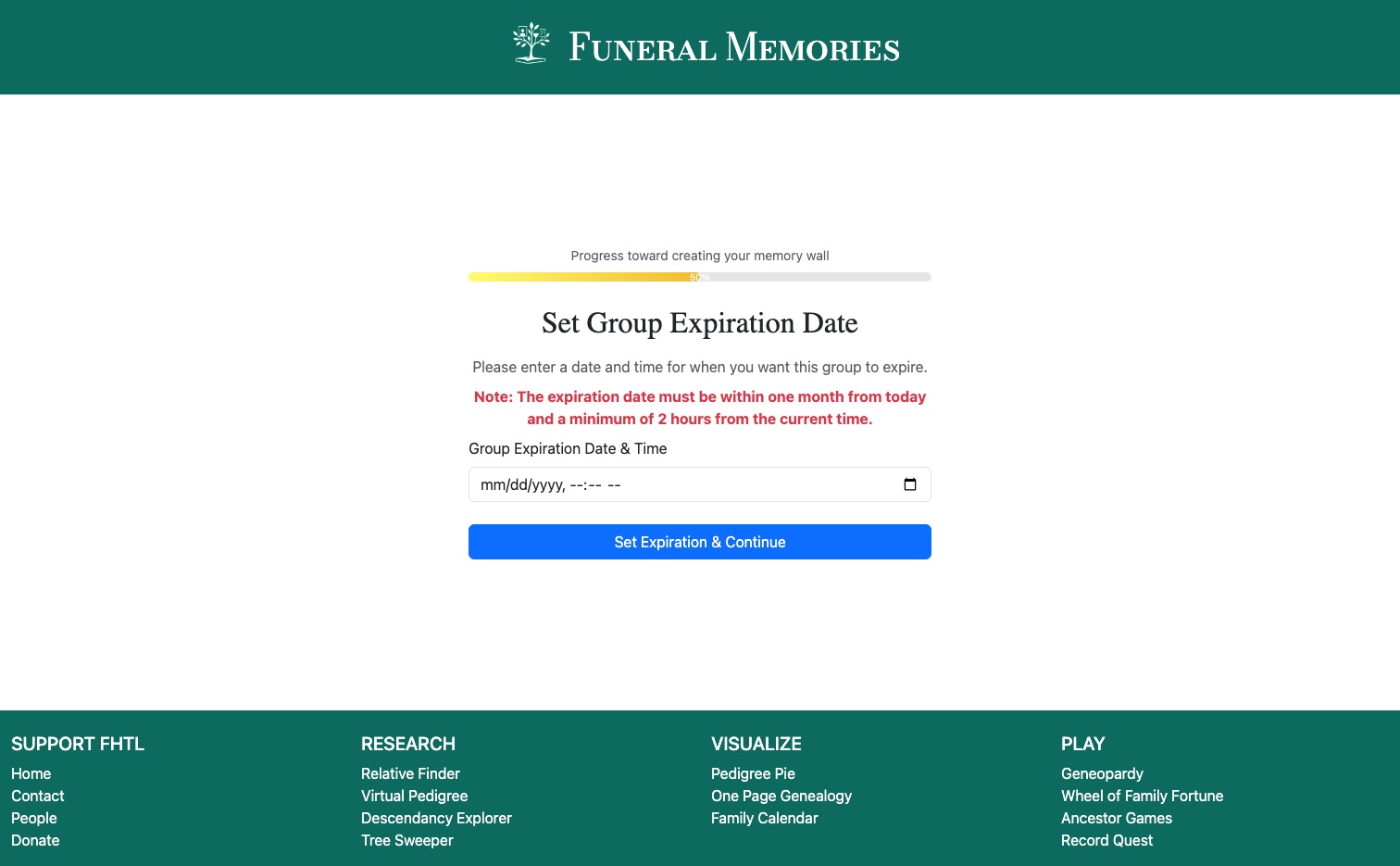
Set an expiration

Before The original expiration screen: a thin progress bar, red warning text, and a bright blue Set Expiration and Continue button
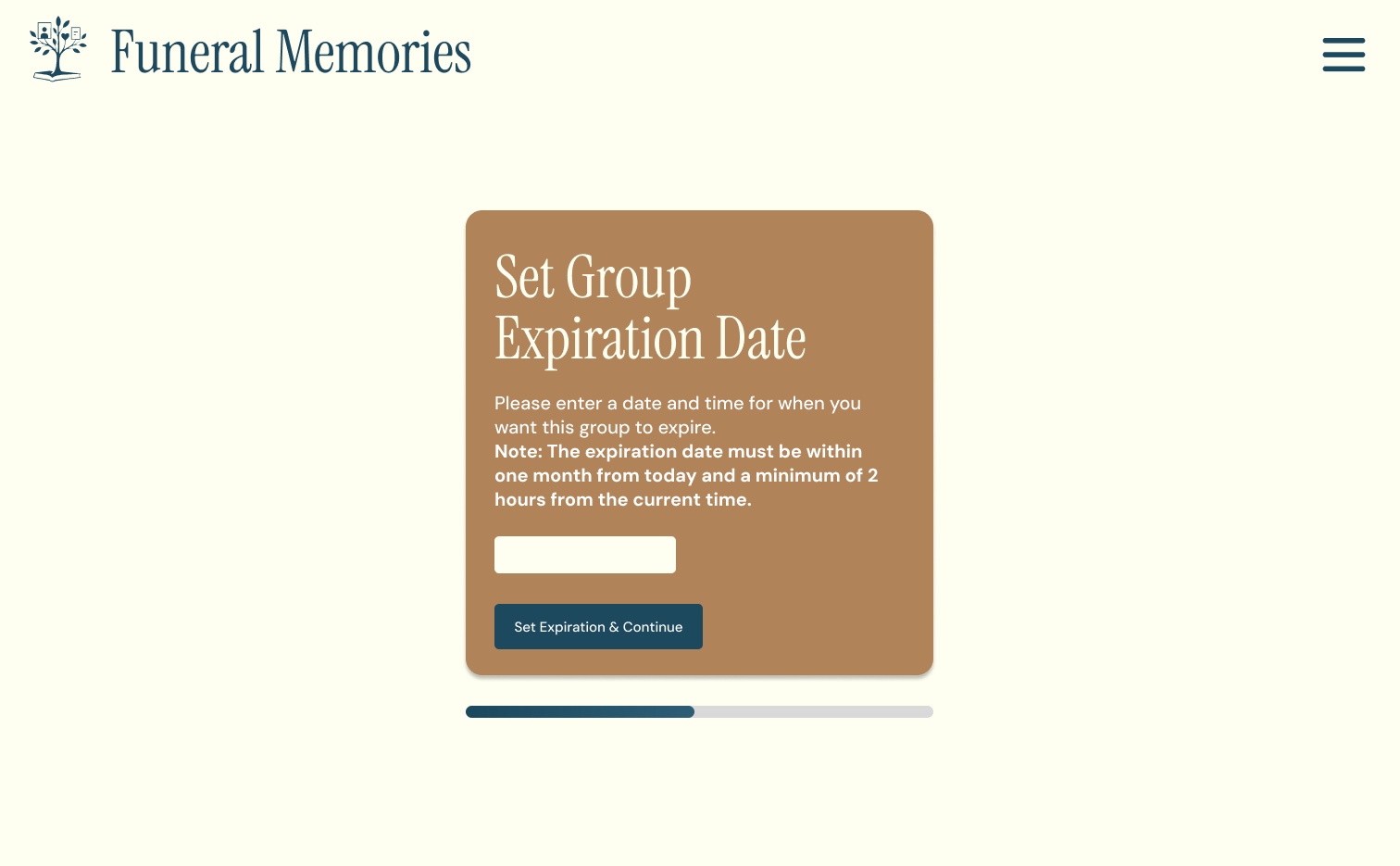
→
After · Figma design The redesigned expiration card: a tan card with a clear note about the date limits and a teal button, with a progress bar below
What changed

From default styling to a design of its own

Color and type with warmth

Default Bootstrap blue and green gave way to deep teal, warm tan, and soft cream. Headings use Instrument Serif, with DM Sans for everything you read or tap.

A cleaner, calmer layout

Each screen got more space, a clear heading, and one focused card. The old green header and white pages became a cream header and generous margins.

Custom CSS instead of Bootstrap styles

In the code, I replaced Bootstrap’s default styling with a CSS system of my own, organized by page and component, and rebuilt the pages in React and TypeScript.

hosting a wall

The host flow, step by step

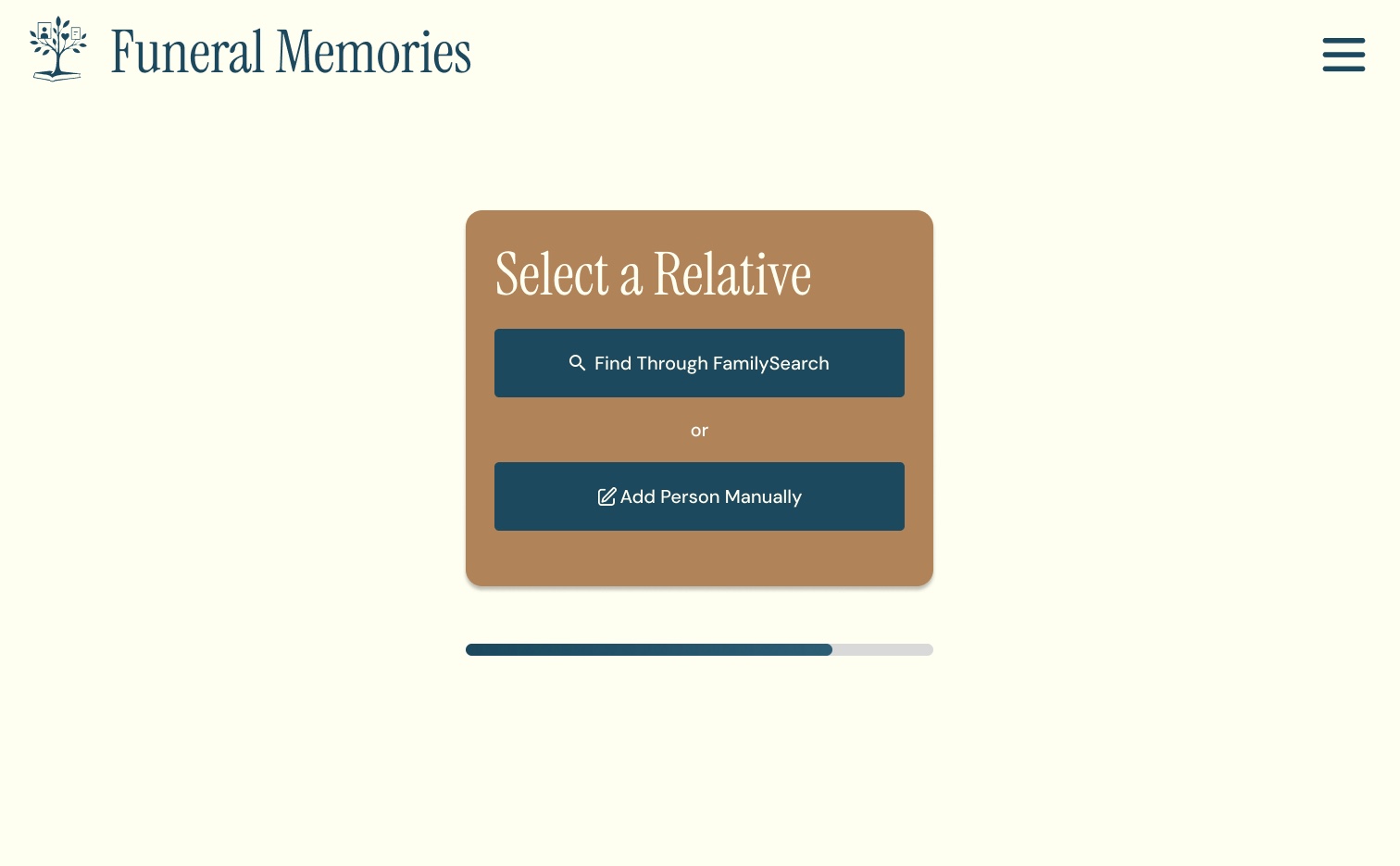
Setup runs through a short series of cards, and a progress bar under each one shows how far along the host is.
Host a Group card with email and password fields and a Continue button, with a progress bar below
1. Host a groupHosts start with an email and a password.
Select a Relative card with two options: Find Through FamilySearch, or Add Person Manually
2. Select a relativeFind the person through FamilySearch, or add them manually.
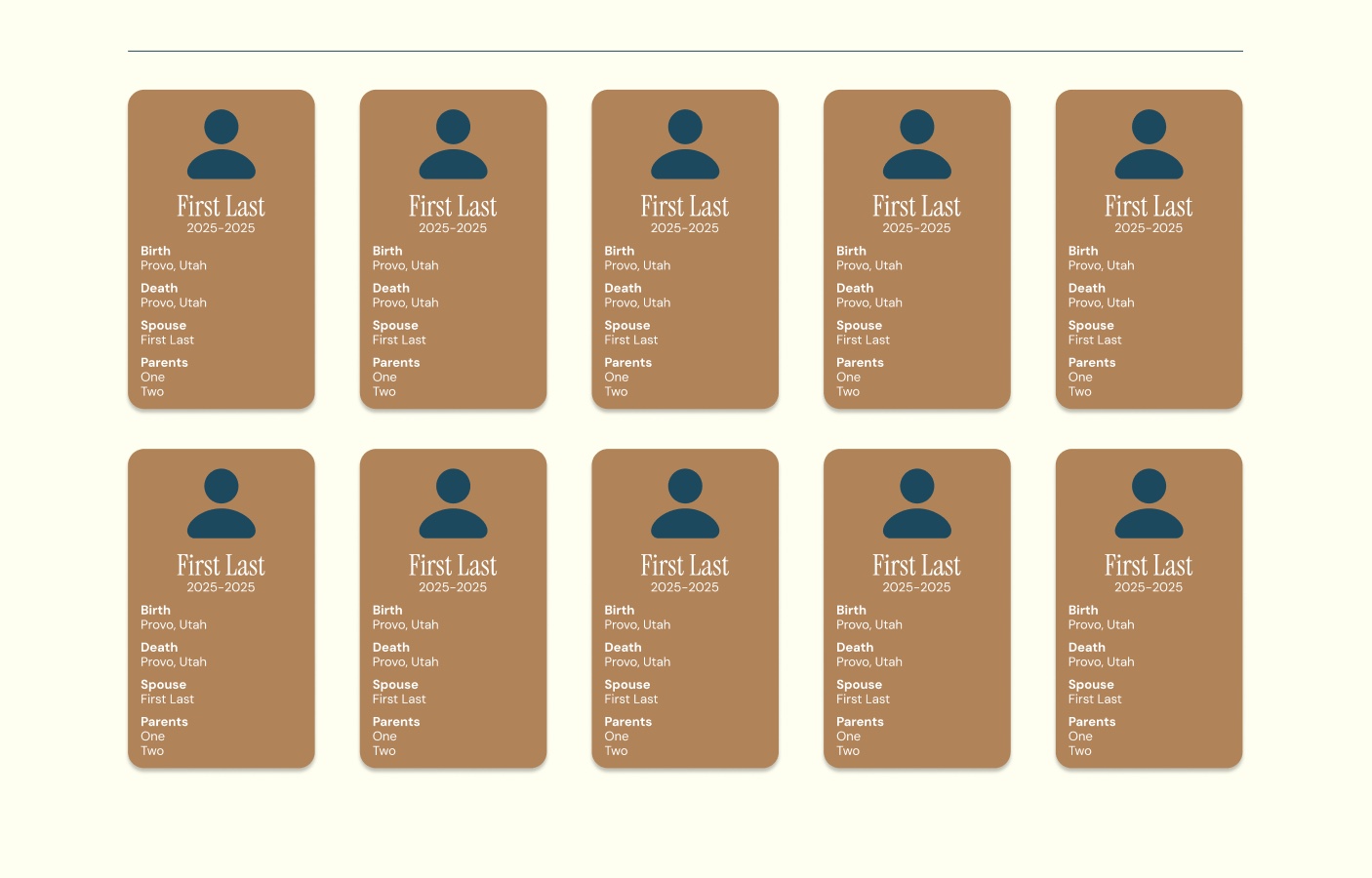
Search results shown as tan cards, each with a name, years, birth and death places, spouse, and parents
3. Confirm the personEach result is a card with name, years, birth and death places, spouse, and parents.
Set Group Expiration Date card explaining the date must be within one month and at least 2 hours from now
4. Set an expirationThe wall expires within one month, and at least 2 hours from now.
The result

The memory wall

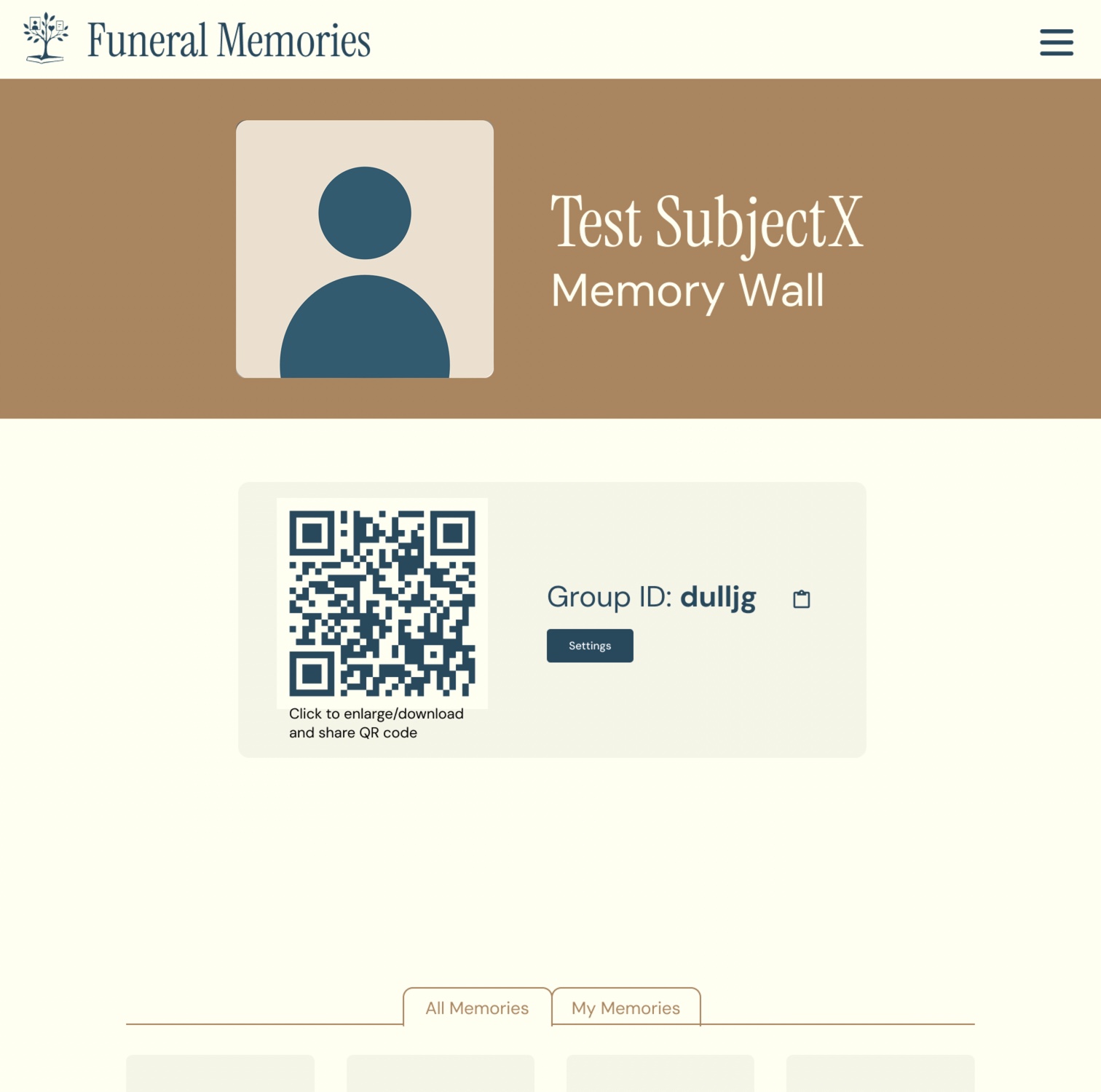
Memory wall with a tan header, a Group ID with a copy button, a QR code to share, and All Memories and My Memories tabs above an empty grid of memory tiles
Memory wall with sample data.Open full size ↗

One link or code to share

The wall shows its Group ID with a copy button, plus a QR code that can be enlarged, downloaded, and shared.

All memories, or just mine

Tabs switch between every memory on the wall and the ones you added.

Ground rules

Only the person who wrote a memory can edit or delete it, unless an admin removes it. Hosts can export the wall as a PDF or publish it to FamilySearch. Publishing deletes the wall, so export first.

joining a wall

Guests and admins

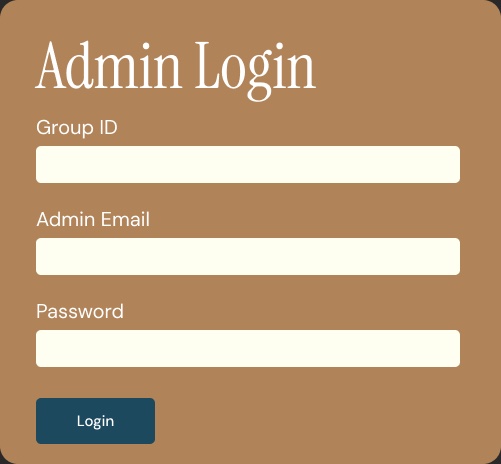
Everyone starts by choosing a role. Guests can view and share memories with just the Group ID. Admins also sign in with the email and password they saved.
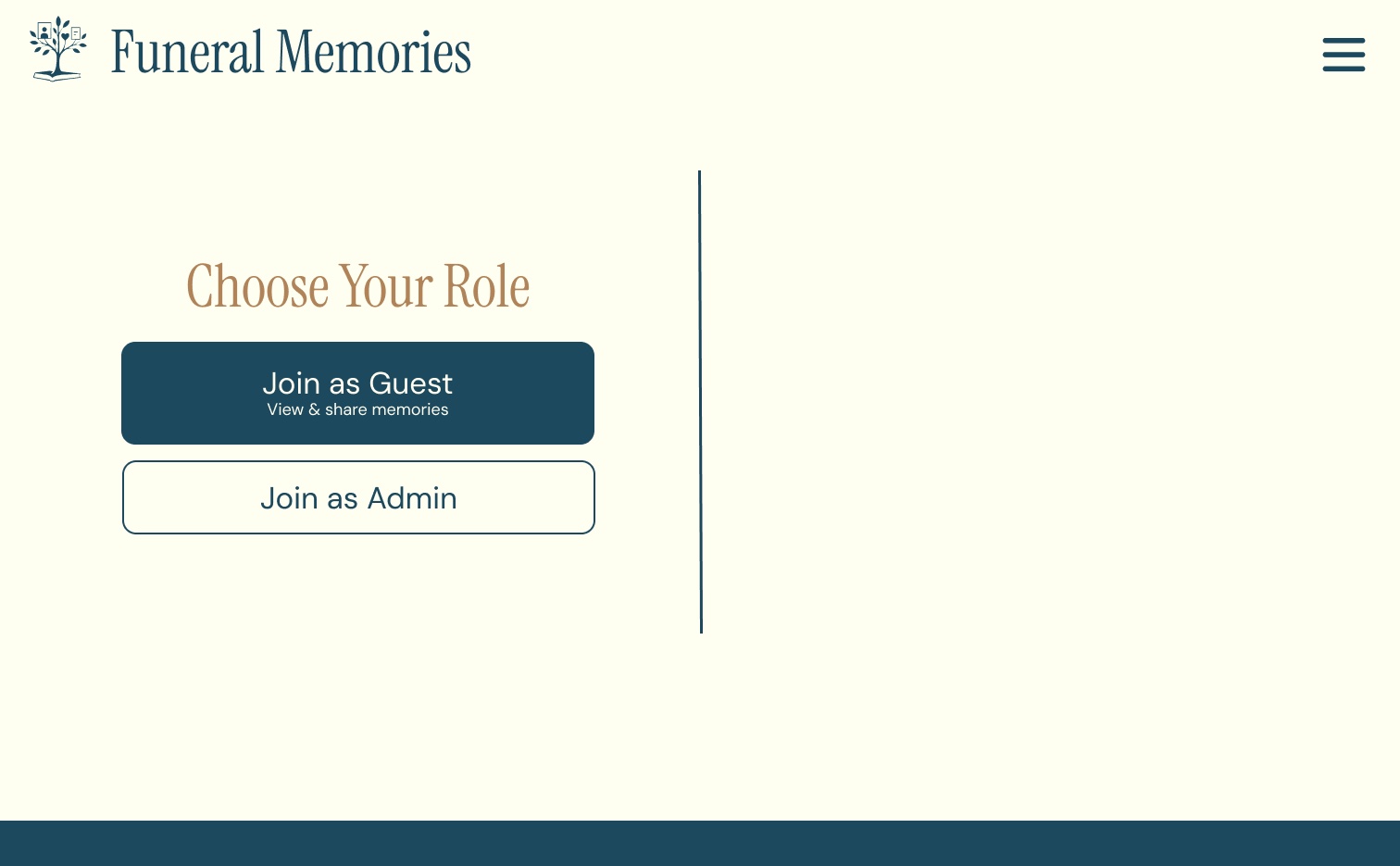

Choose Your Role screen with Join as Guest (view and share memories) and Join as Admin buttons
Choose your role.
Join Group pop-up asking for a Group ID, with a Continue button
Guests enter a Group ID.
Admin Login pop-up asking for a Group ID, admin email, and password
Admins add their email and password.
the look

Calm, warm, and readable

Deep teal and warm tan on a soft cream page, with a condensed serif for headings and a clean sans for everything you read or tap.

Teal#1C495E
Hero, buttons, text

Tan#B08459
Headers and cards

Cream#FFFFF0
Page

Stone#F5F5E6
Tiles and panels
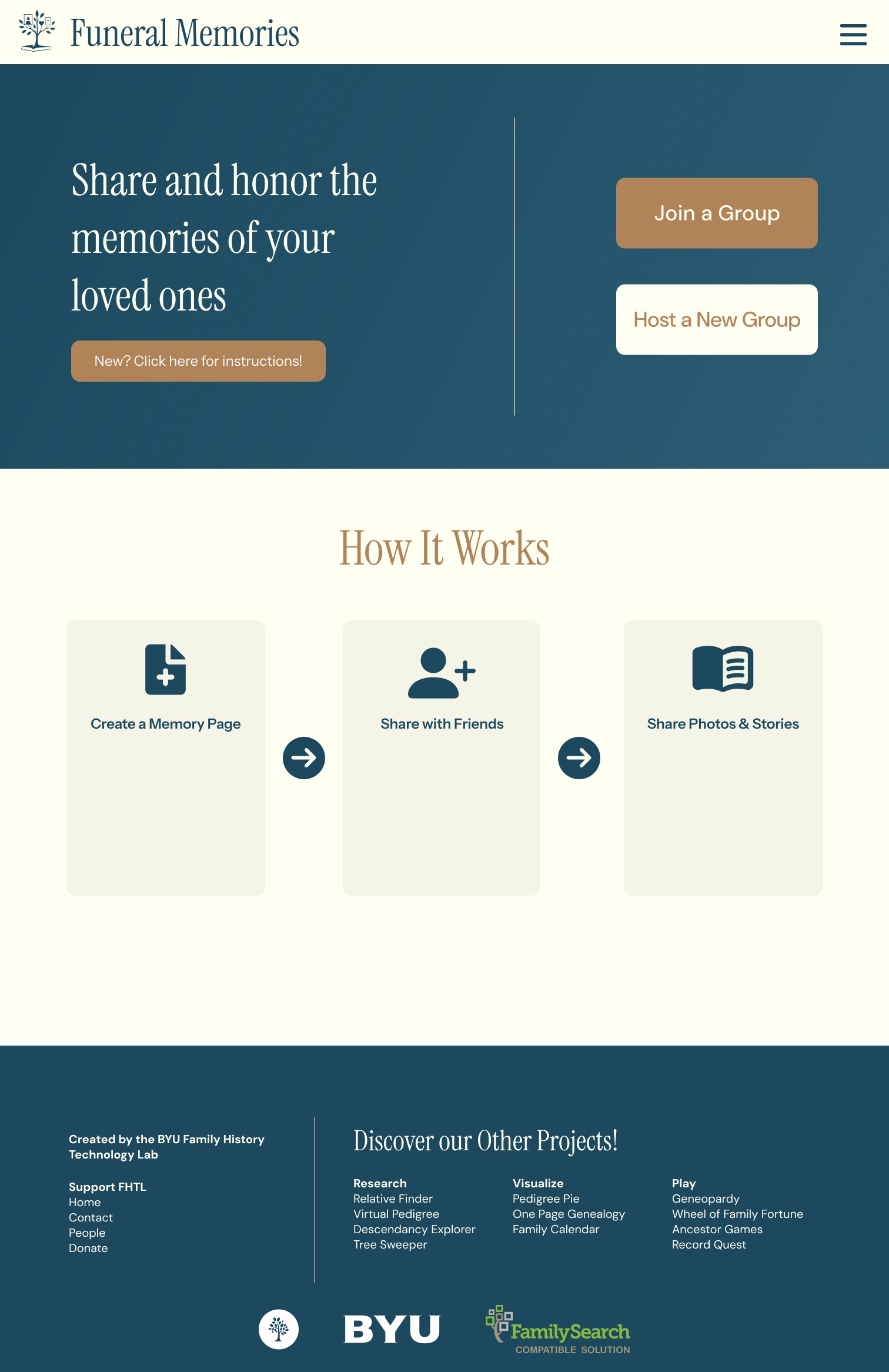
Full Funeral Memories home page: hero, a How It Works section with three steps, and a footer linking to other BYU Family History Technology Lab projects
The full home page.Open full size ↗
taking it on stage

Presenting Funeral Memories

I presented the project at the 2026 BYU Family History Workshop and at RootsTech 2026.
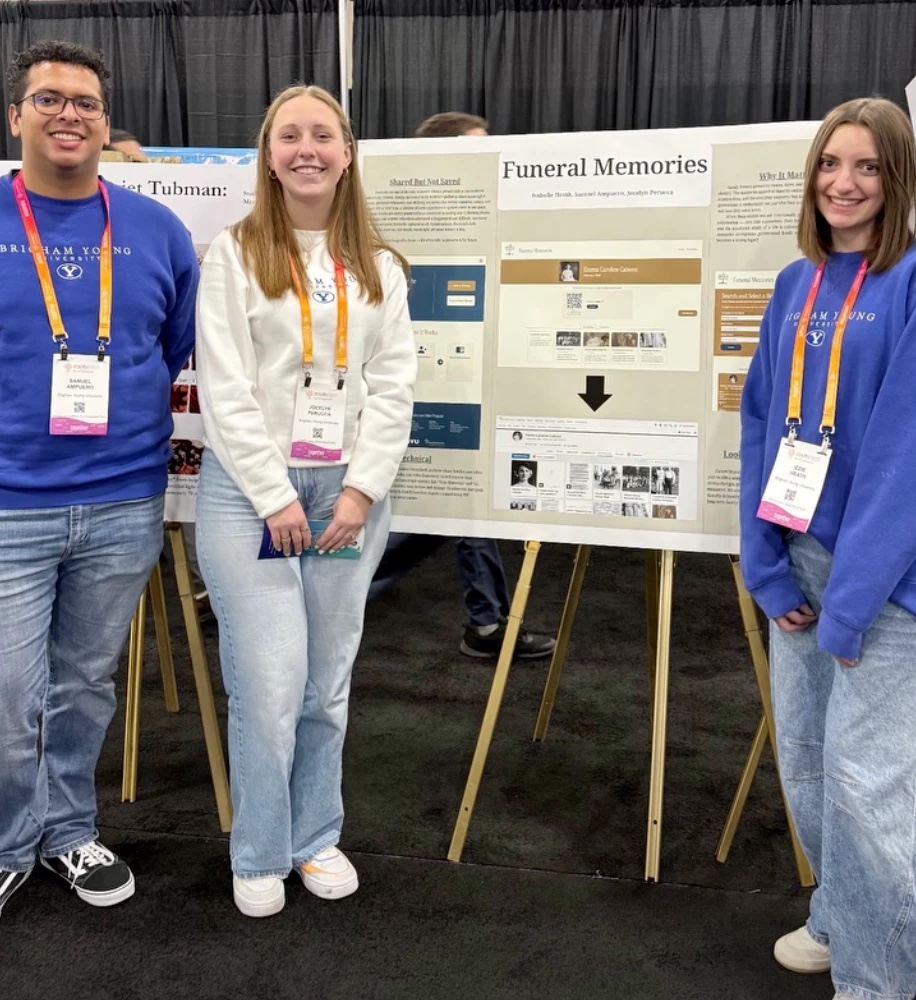
Three students in BYU sweatshirts and RootsTech lanyards standing beside a printed Funeral Memories poster on an easel
At RootsTech 2026 with our poster. From left: Samuel Ampuero, Jocelyn Perucca, and me.
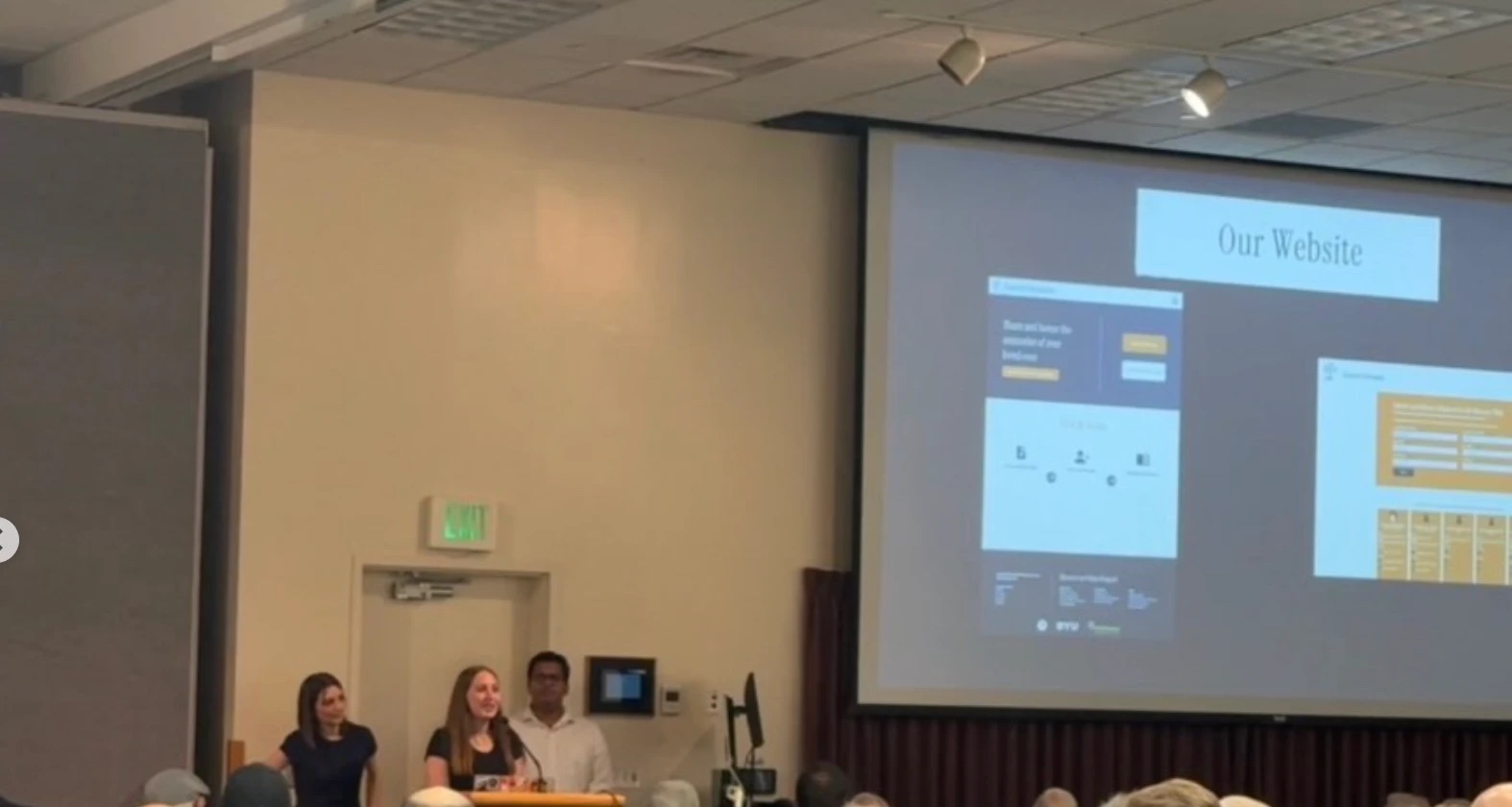
Three presenters at a podium in a conference room, with a projected slide titled Our Website showing Funeral Memories screens
Presenting the project to a room of family history professionals.
200+

people across RootsTech and BYU, where I presented the project.

More work

See it live

Funeral Memories is live. More case studies are on the way.